> ## Documentation Index
> Fetch the complete documentation index at: https://docs.gbox.ai/llms.txt
> Use this file to discover all available pages before exploring further.
# Cursor
> Integrate GBOX with Cursor IDE for seamless Android app testing and development workflow.
If you have not installed Cursor, please check the [installation](https://docs.cursor.com/en/get-started/installation) instructions before proceeding.
## Getting Started
Install the GBOX CLI tool to manage your GBOX configuration.
```bash theme={null}
# Install GBOX CLI
brew install gbox
# Update GBOX if already installed
brew update && brew upgrade gbox
```
Enter the command in the command line.
```bash theme={null}
gbox login
```
This command will prompt you to enter your GBOX API key and configure your account.
Set up the Model Context Protocol (MCP) server to enable communication between Cursor and GBOX.
```bash theme={null}
#Using GBOX CLI
#NOTE: This command will not affect your original configuration.
gbox mcp export --merge-to cursor
#Check merging result
cursor /Users/@your-username/.cursor/mcp.json
```
Or copy and paste the following content into your Cursor configuration file, you'll find the MCP configuration in `~/.cursor/mcp.json`:
```json theme={null}
{
"mcpServers": {
"gbox-android": {
"command": "npx",
"args": [
"-y",
"@gbox.ai/mcp-server@latest"
]
}
}
}
```
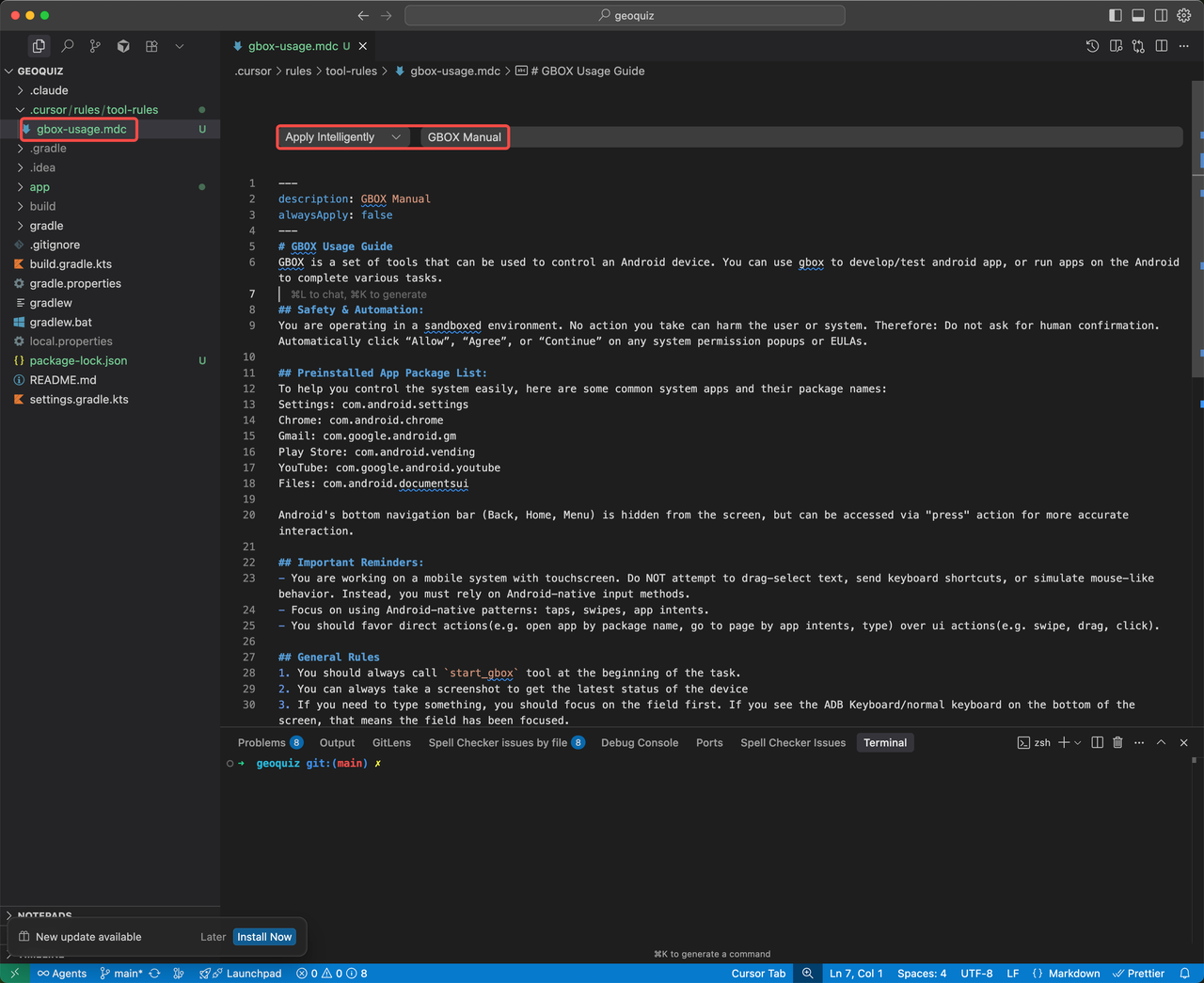
Download and configure the pre-built rule file for Android app testing: [Rule File Link](https://github.com/babelcloud/gbox-mcp-server/blob/main/src/prompts/gbox-manual.md)
This rule file contains predefined instructions for the AI agent to effectively test Android applications using GBOX.
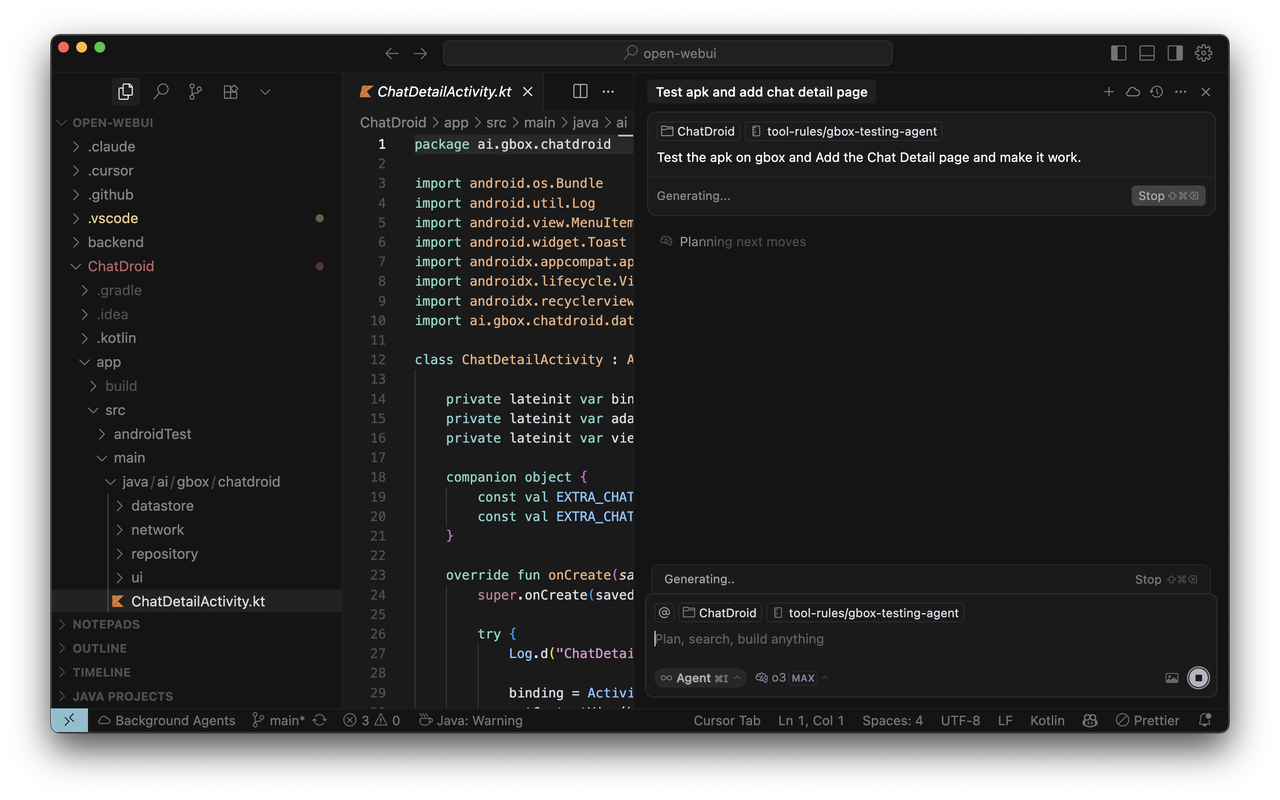
Now you can use Cursor's Agent Mode to test your Android applications.
1. **Enable Agent Mode** in Cursor
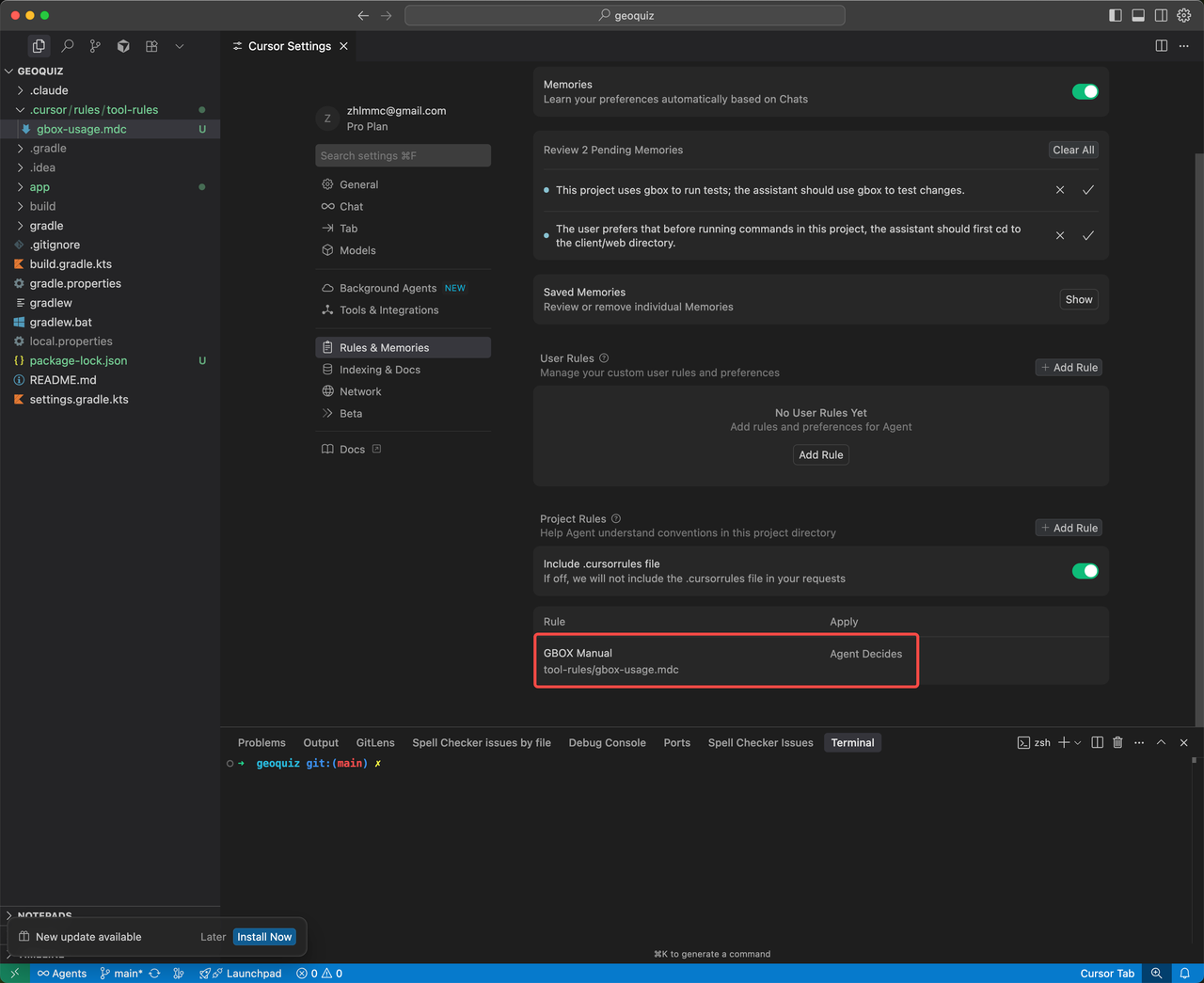
2. **Check** whether the rule is enabled
3. **Assign testing tasks** to the AI agent:
By default, GBOX MCP uses a cloud android VM. To connect GBOX to your own Android devices, see [Register Local Devices](https://docs.gbox.ai/cli/register-local-device).
## Demo
 This rule file contains predefined instructions for the AI agent to effectively test Android applications using GBOX.
 3. **Assign testing tasks** to the AI agent: